
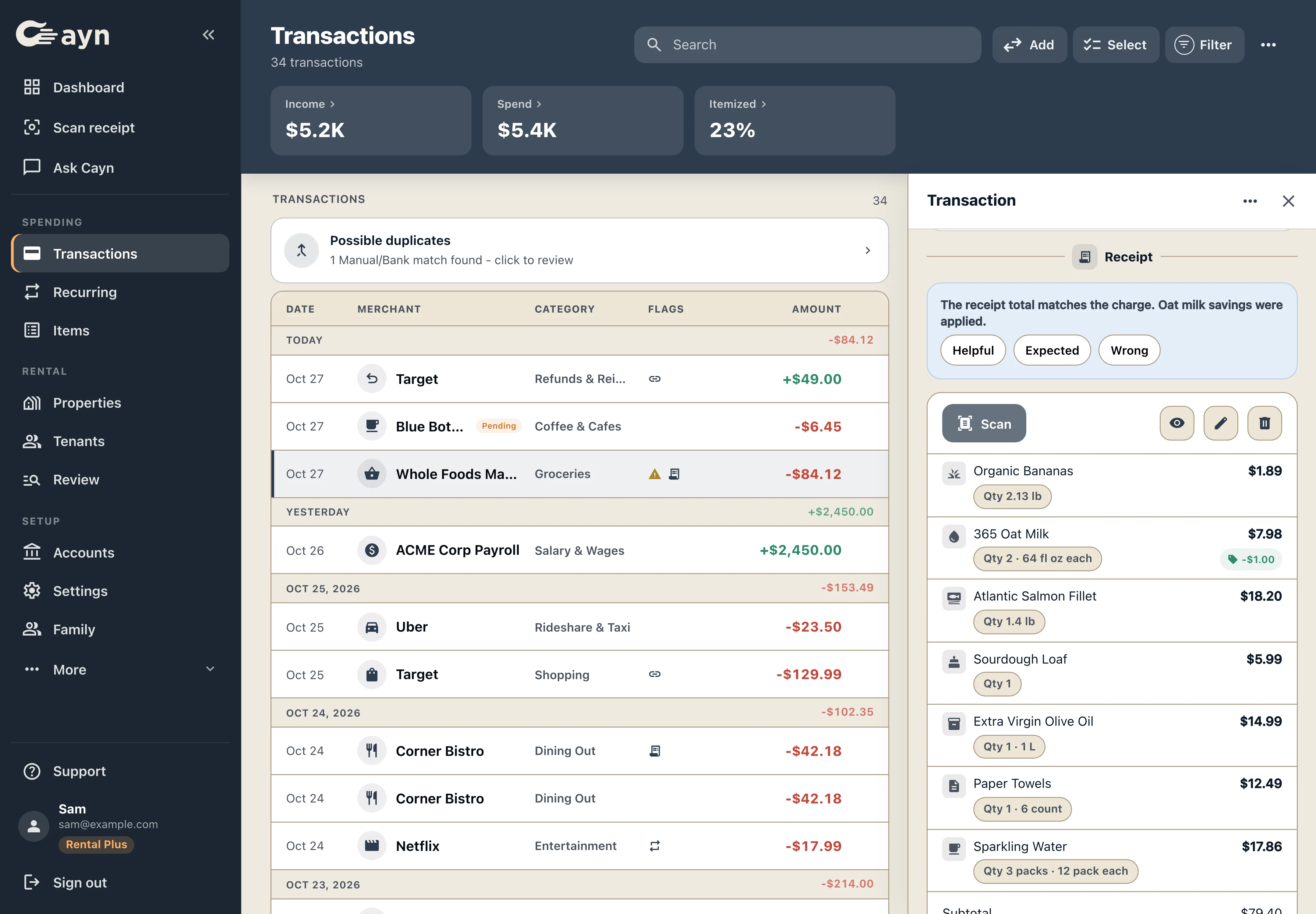
From your inbox to the purchase record
- Connect Gmail if you want email import. Cayn's Gmail connection is optional and read-only. You can also scan receipts directly.
- Bring in the transactions. Connect a supported bank account, import a supported CSV or add manual records.
- Review the receipt and match. See the receipt beside its transaction, check the items and total, and confirm or correct the match.
Useful for more than one store
The workflow can help with supported retailer receipts, contractor invoices and other financial emails. For a rental purchase, you can review the relevant property and category after the receipt is available.
Keep the details of your purchases together, whether you are checking a retailer order or organizing a contractor invoice for a rental.
What happens when an email is incomplete?
If an email leaves out the item names, add the detailed receipt to see what you bought. Orders charged in separate shipments, returns and refunds may need a closer look.
Connecting Gmail does not give Cayn permission to send, change or delete your email through that connection. Read how Gmail data is handled in the Privacy Policy.
Questions about email receipt matching
Can this work with Amazon receipts?
Yes, when the email includes supported receipt details. If item names are missing, add the detailed receipt. Orders split across several charges may need review.
Will every receipt automatically find a bank match?
Some receipts need your help, especially when details are missing or several charges look similar. You can review and correct the proposed match.
Do I have to connect Gmail?
No. You can scan or upload supported receipts instead. See how receipt itemization works.